Create consistent & professional
app screenshots

Get rid of the 'screenshot guy' and let your whole team create beautiful, branded, and pixel-perfect screenshots, every time.

Have a ‘screenshot guy’? 
You need Escribo

Before making Escribo, we only trusted one person to make screenshots for the website, because otherwise each screenshot looked different:

01Different padding
02Different aspect ratio
03Different background
04Different colors and fonts

We tried to find a tool we liked, but most screenshot and annotation tools were bloated and focused on providing hundreds of features, which honestly just makes the problem worse!

We finally got fed up and built our own, Escribo.

Rather than feature-bloat, Escribo focuses on easy-to-use tools, and making it easy to standardize for the whole team. Even for Linux users.

We use it every day. We hope you enjoy using Escribo as much as we do.

Matthew
Founder, Escribo & Beekeeper Studio

One screenshot, four people, four different results
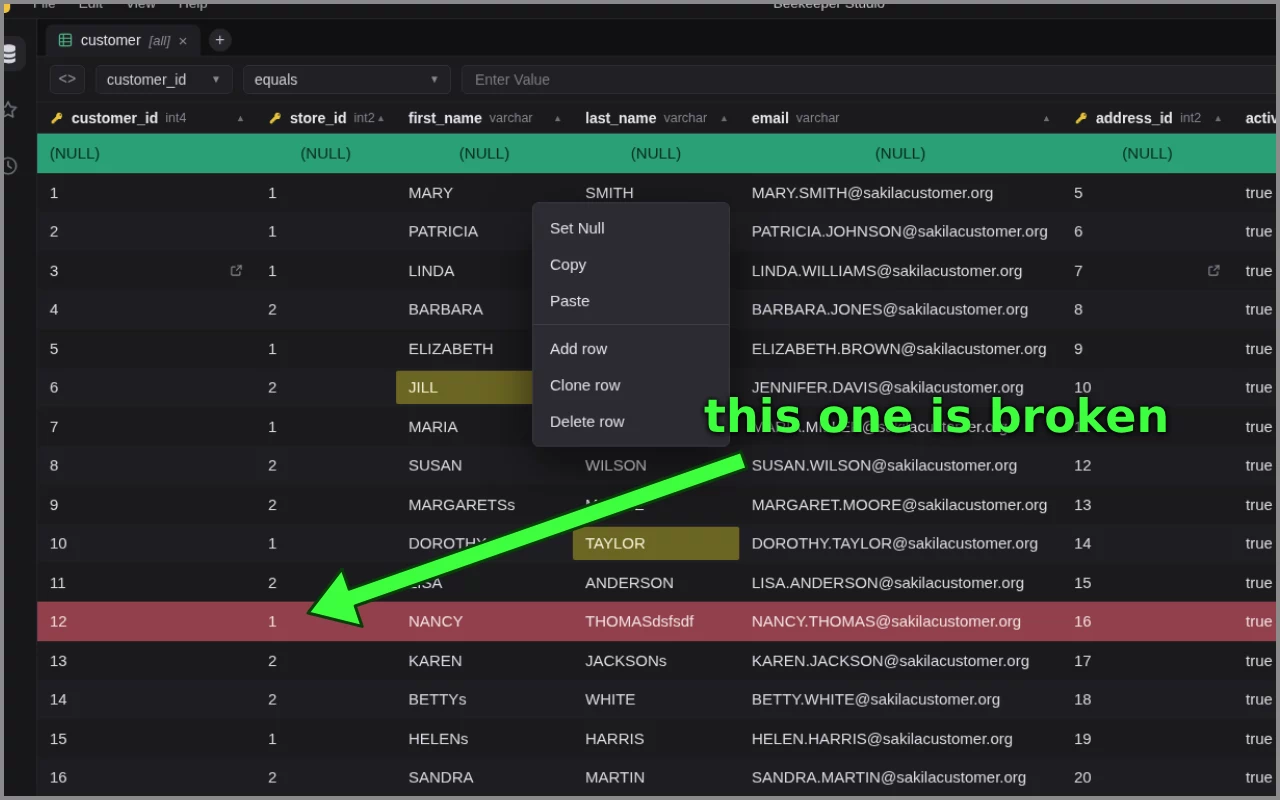
The customer table cropped hard against a grey border, the window's edge cut off, with a lime green arrow on it
No padding, a hard grey border, and cropped so tight it clips the window.
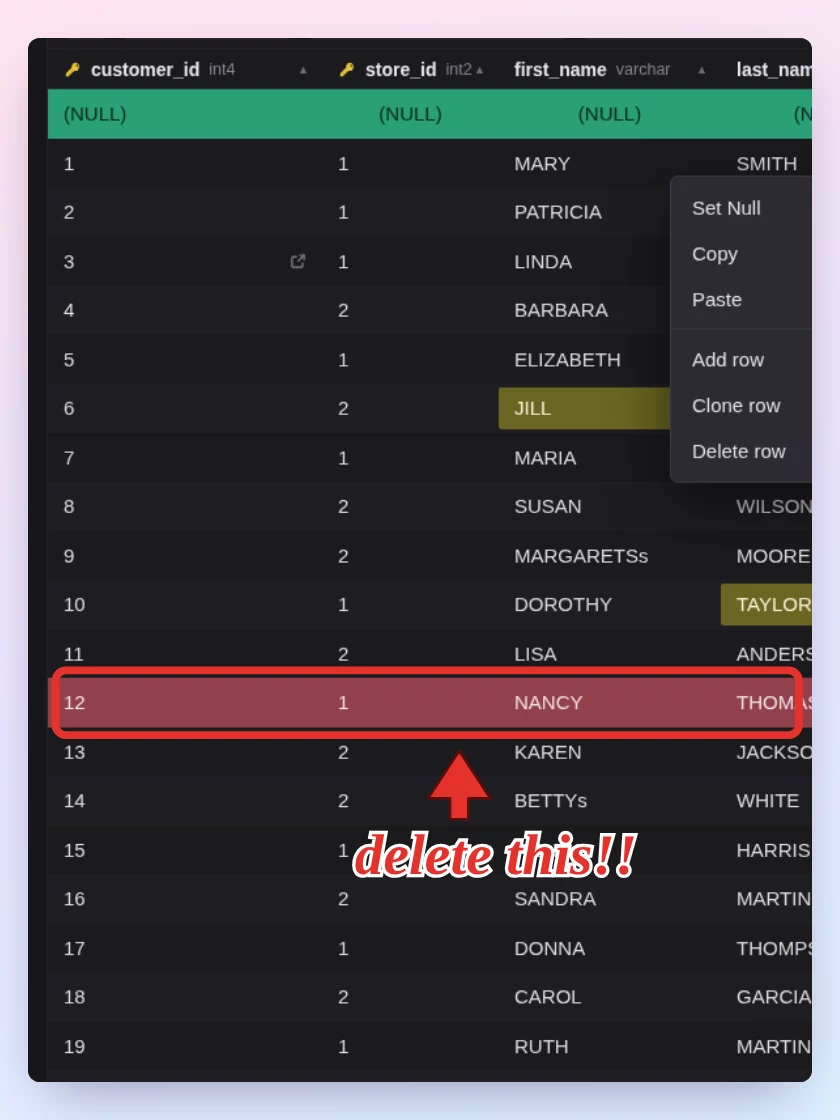
A tall portrait crop of the same table, boxed in red, floating on a pastel gradient
Portrait, on a pastel gradient. It breaks every layout it lands in.
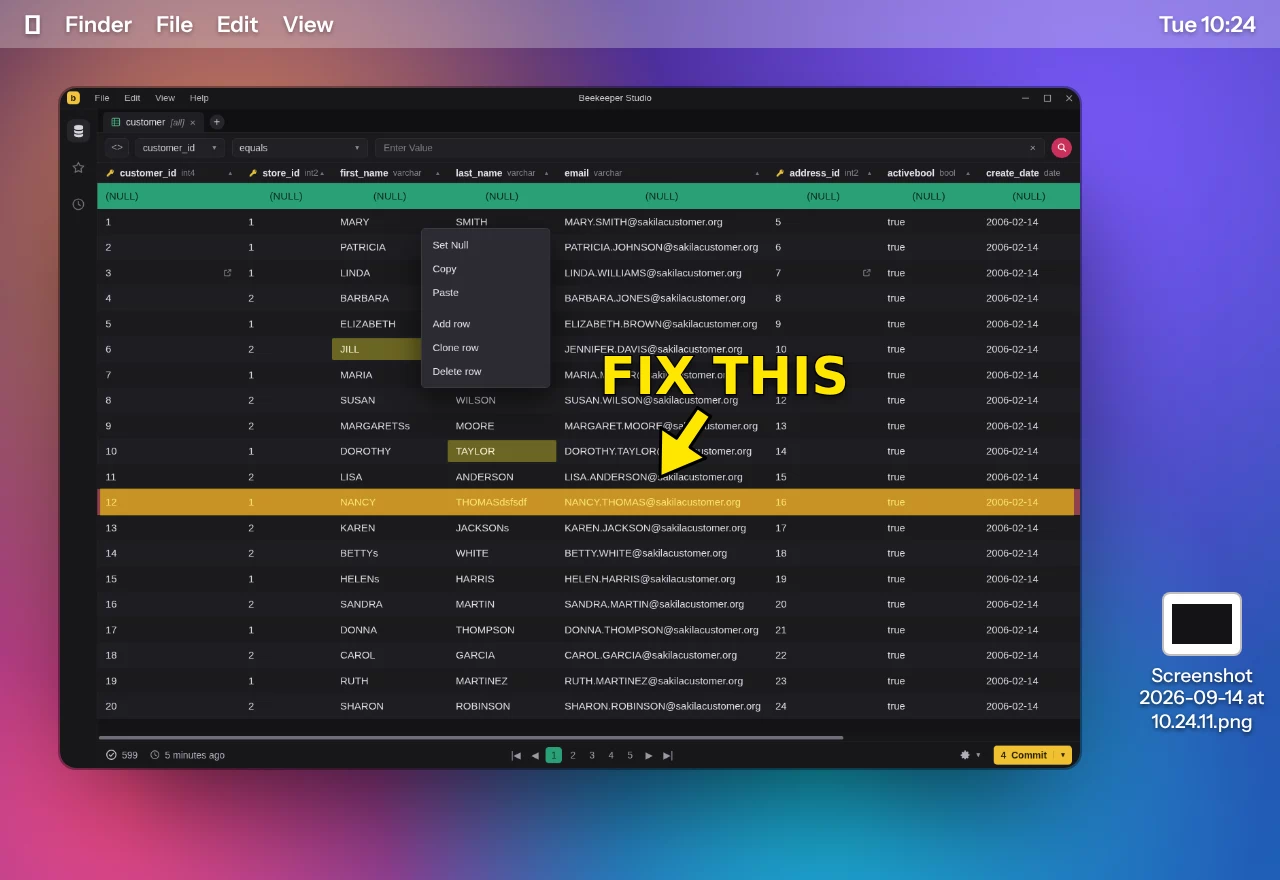
The same window grabbed with the whole desktop around it, wallpaper and menu bar included, highlighted in yellow
Straight off the desktop. Somebody's wallpaper is in our marketing now.
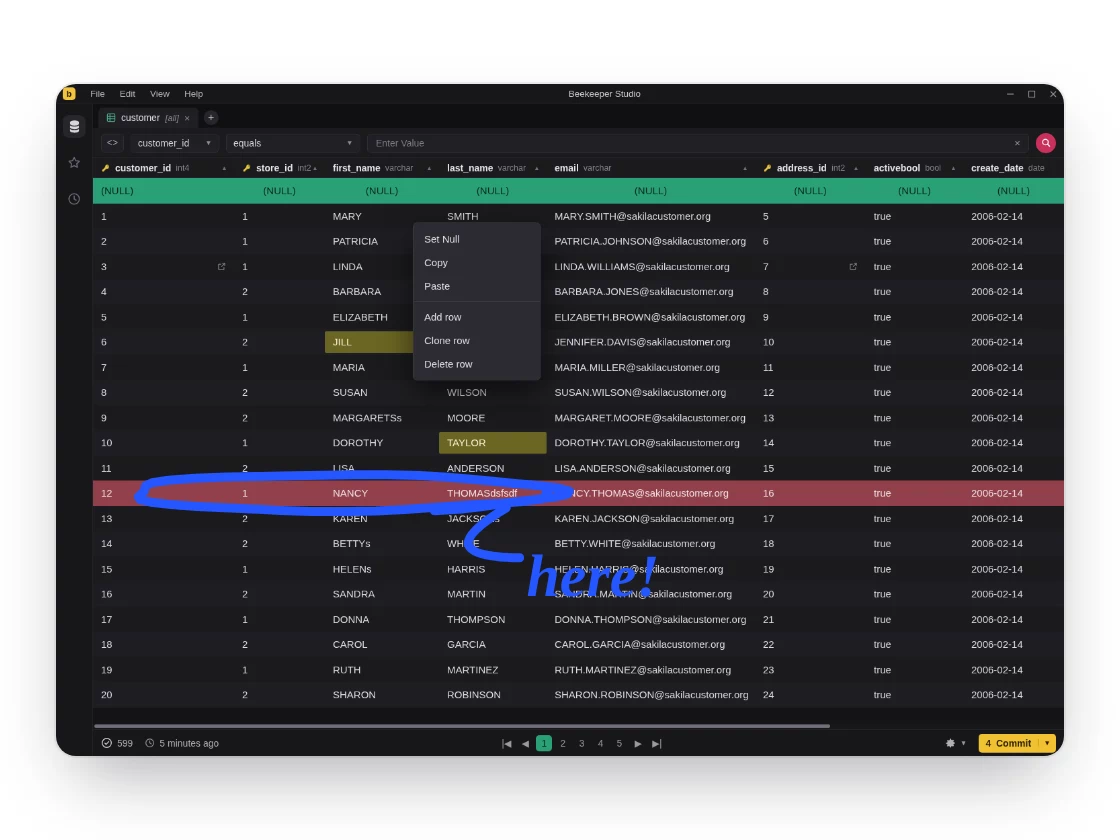
The same screenshot on a white mat with a drop shadow, circled in blue with a serif label
Blue this time, in yet another font, on a white mat nothing else has.
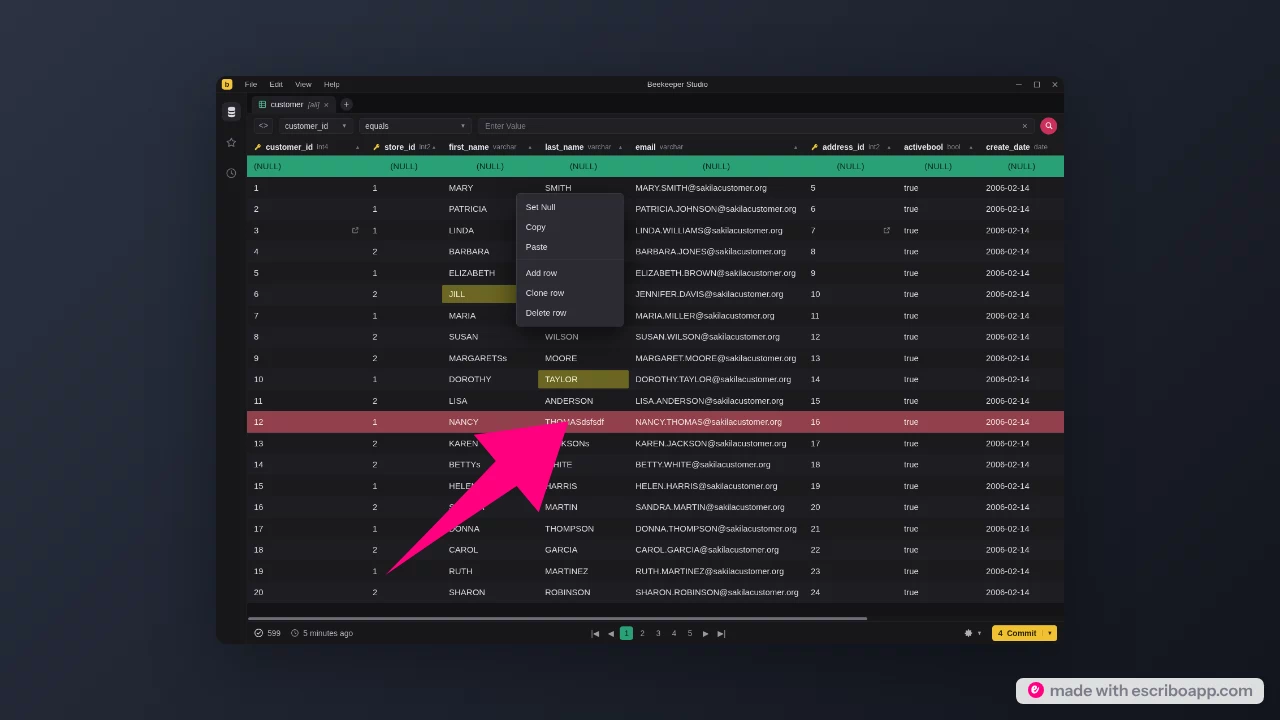
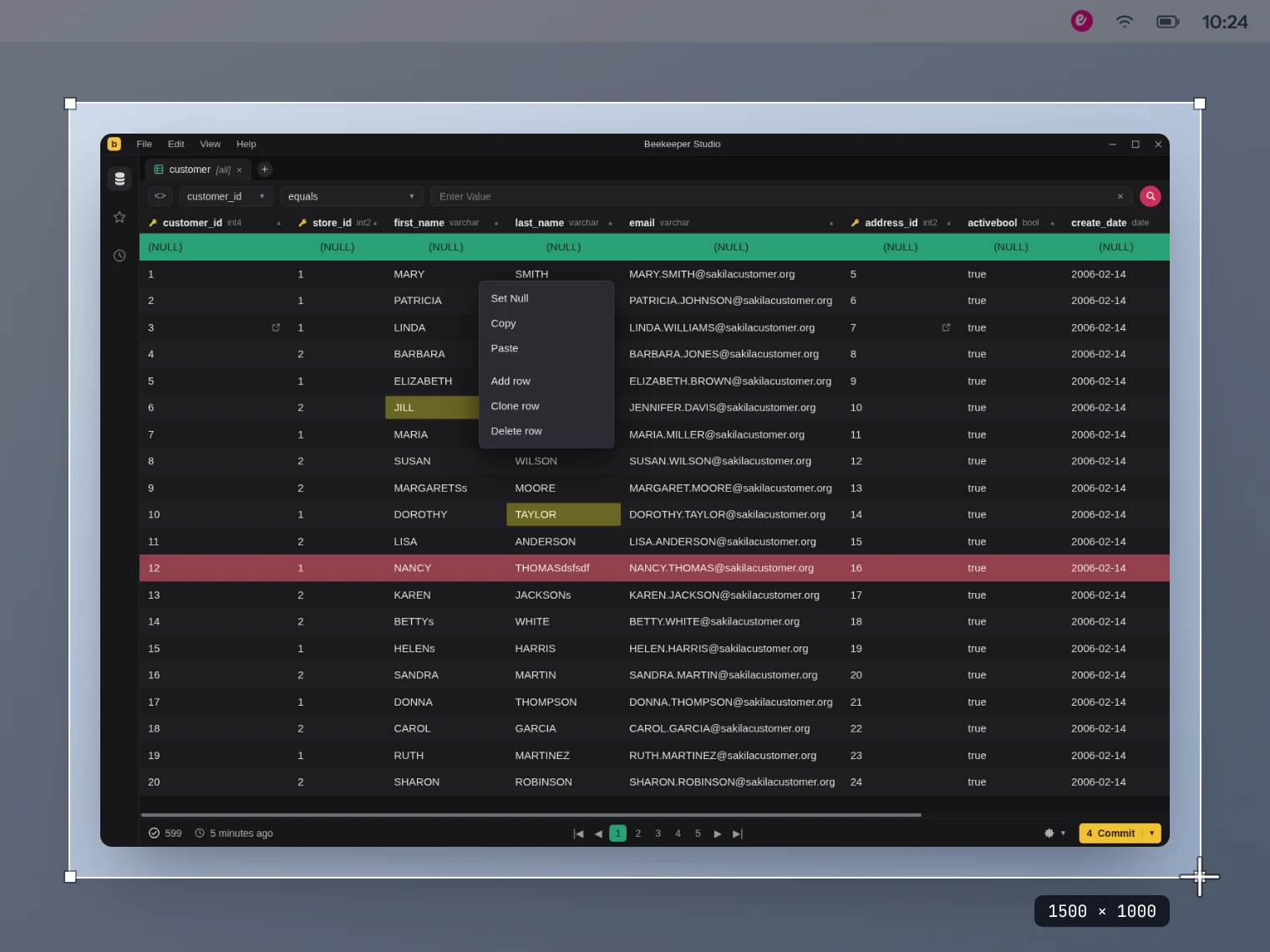
The same screenshot as escribo exports it: padded on a dark gradient, framed 16:9, one pink arrow, watermarked
With escribo, all four hand in this one. Same padding, same 16:9 frame, same backdrop, same pink.

Using escribo is easy

A screen with a selection drawn around a database window, ready to capture, and escribo waiting in the menu bar

Take a screenshot

Use your regular old screenshot tool
to take a screenshot.
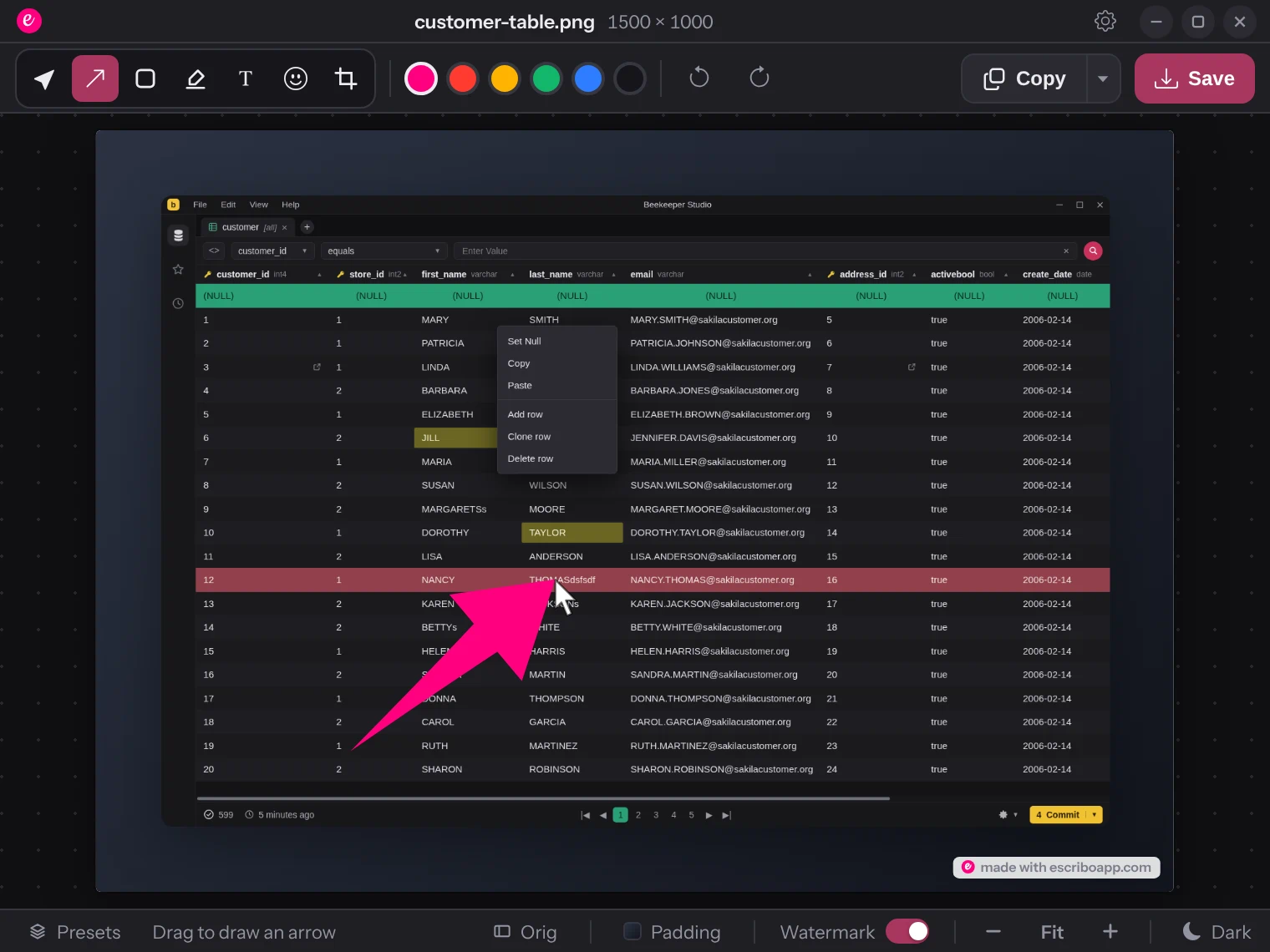
The screenshot open in escribo, with a pink arrow being drawn onto the flagged row

annotate in escribo

escribo opens the screenshot for you to annotate, wham bam, done in 10 seconds.
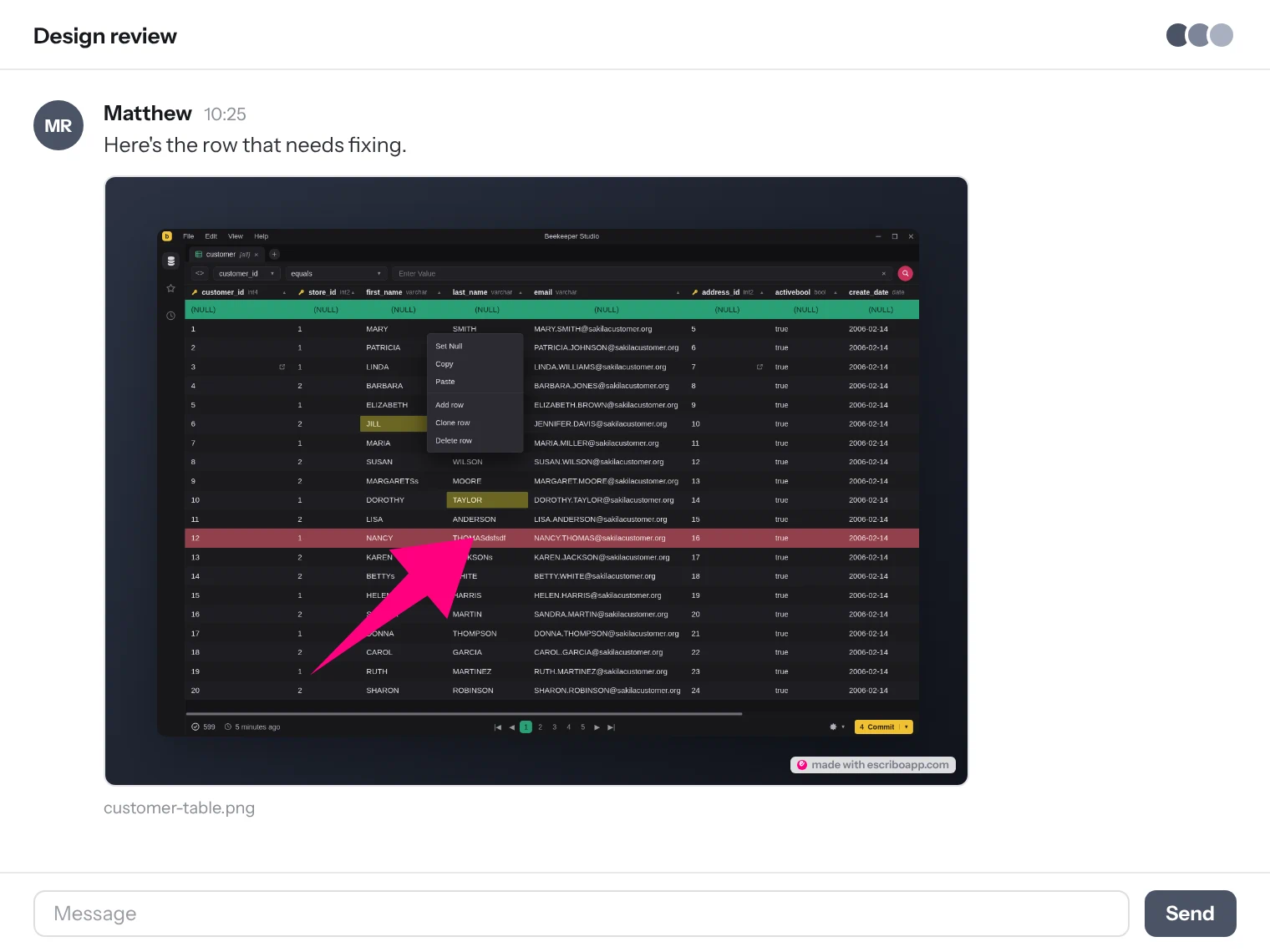
The finished screenshot posted in a team chat, padded and watermarked

Share your screenshot

Copy or save the screenshot to share with your team. Perfect.

Perfectly styled screenshots

Regardless of who is doing the work, your screenshots will always look fantastic.

Sorry, we don't have 100 tools ArrowA BoxB MarkM TextT EmojiE CropC SelectS

The same screenshot in every clip. Only the escribo settings change.

Fair no nonsense pricing

PERSONAL
$0 personal use

Free for personal, non-commercial use

Full annotation toolkit: arrows, boxes, text & emoji
Redact and crop
Standard aspect ratios & export sizes
Solid color backgrounds & padding
Default escribo watermark
No presets, style each screenshot by hand
Download for macOS
For teams
ESCRIBO BUSINESS
$99 per device, one-time

Everything in Pro, synced across your whole team

Everything in Pro
Shared brand profiles: sync colors, watermark & presets team-wide
Import & export brand profiles as JSON
Lifetime license for v1
As many devices as you like, one license each
Buy License

Priced per device, paid once for the v1 license. No subscriptions, no price hikes.

Frequently Asked Questions

Yes. Personal is free for personal, non-commercial use, with no time limit and no feature countdown. It has the full annotation toolkit, standard aspect ratios, and solid-color backgrounds. The only thing it skips is presets and brand customization, which live in Pro and Business.

Both unlock presets, custom brand colors, gradient backgrounds, and a custom (or fully removed) watermark. Business adds shared brand profiles on top, so colors, watermark, and presets stay in sync across your whole team, and profiles can be imported or exported as JSON.

Per device. Each computer that runs Pro or Business needs its own license, on both plans, and there's no flat team rate. Pro covers up to 5 devices per team. Business has no device limit.

escribo shows a device code in its preferences. You buy a license for that code and get back a key that only works on that device. The key is checked on the device itself, so nothing is sent anywhere and it keeps working with no internet connection. Replacing the computer? Ask us for a key for the new one.

No. Pro and Business are one-time payments for a lifetime license to escribo v1. No renewals, no recurring charges, and the price won't change on you later.

No signup and no tracking. Escribo runs fully offline if you want it to. There's no analytics, no crash reporting, no update checks and no license server. Nothing phones home, ever.

escribo is a native desktop app for macOS, Windows, and Linux.
Matthew, who makes Escribo
Hi 👋

No tracking and no nonsense

Good software doesn't need to track you, trick you, or try and confuse you. That's why Escribo contains zero user tracking, and can work fully 100% offline without any sort of internet connection.

I also make Beekeeper Studio, a no-nonsense database management app with millions of downloads and a full-time team. Beekeeper also has zero tracking, so you know I'm serious when I say that Escribo does not and will not either.

I hope you enjoy using Escribo as much as I enjoy making it

Matthew
Founder · Beekeeper Studio

Not included

Sorry, these features are banned from escribo

Phoning home

No analytics, no crash pings, no update beacons, no license checks. The network tab stays empty.

Dark patterns

No countdown timers, no fake discounts, no button that hides the cancel option.

Price increases

Buy your license once and the price never changes on you.

Forced cloud accounts

No signup, no login, no workspace to invite people to. Open it and annotate.

Feeding AIs

Your screenshots are not training data. They never leave your machine to begin with.

Feature creep

If it is not in the repo, it is not coming. The tool list above is the whole tool list.

Download free

Free for personal use. No account, no tracking, and it runs on macOS, Windows and Linux.